New here? Start with how it works, screen by screen, then come back for the detail.
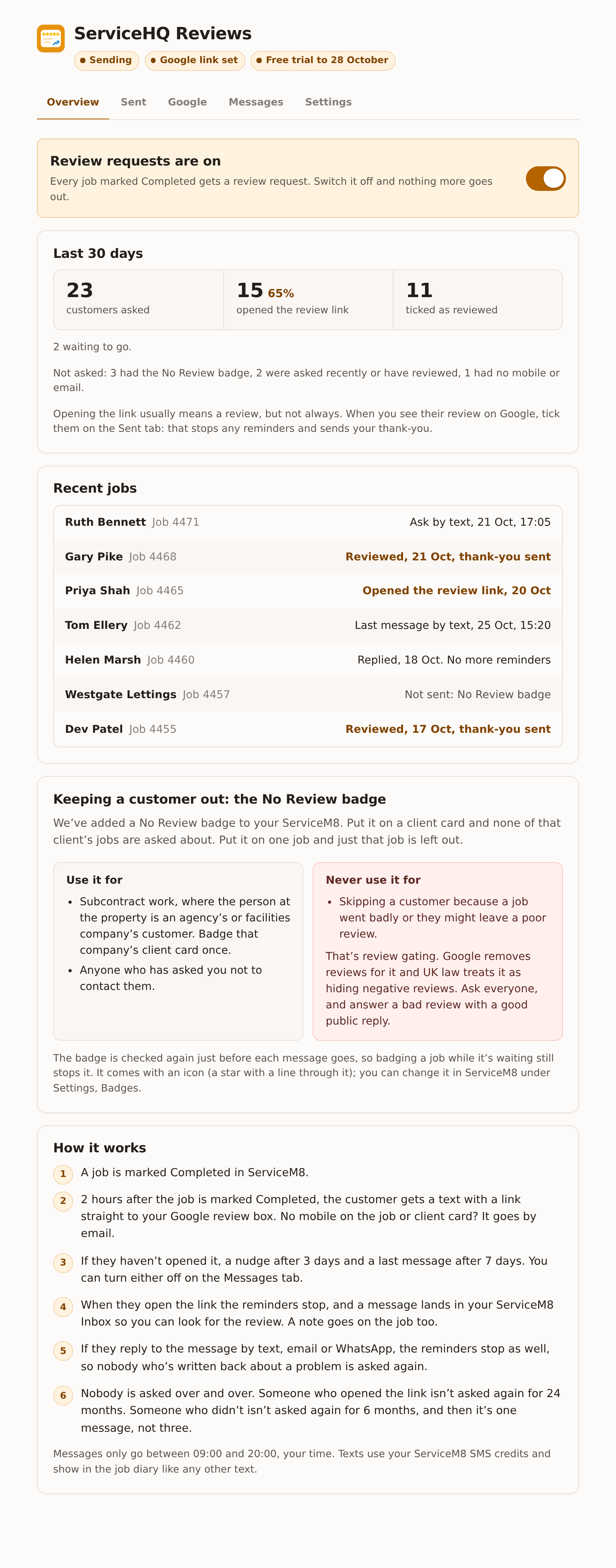
ServiceHQ Reviews asks every customer for a Google review when their job is marked Completed in ServiceM8. It follows up once or twice if they haven’t opened the link, tells you in ServiceM8 when they have, and, once you connect Google, matches new reviews to the customers you asked and drafts your replies.
Pick the topic you need below. Setting up for the first time? Start with Getting started and work down.
If something here is unclear, tell us at support@servicehq.co.uk and we will fix the page as well as answer you.
Common questions
Will it ask customers from jobs I finished before I installed it?
No. It only asks about jobs marked Completed after you switch it on, and only within seven days of being completed, so an old job edited today isn't swept up. To ask a past customer, press Ask for a Google review on their job.
Can I stop it asking customers who weren't happy?
No, and you shouldn't want to. Leaving out unhappy customers is review gating. Google removes reviews gathered that way and UK consumer law treats it as hiding negative reviews. Ask everyone, and answer a poor review with a calm public reply. The No Review badge is for customers who aren't yours to ask, and for anyone who asked not to be contacted.
Does it cost me SMS credits?
Yes. Texts go from your own ServiceM8 account, so they use your ServiceM8 SMS credits like any other text. With a short business name the ask, nudge and last message are one credit each. The thank-you is two. The Messages tab shows the count for your wording.
Will a customer get the same message twice?
No. Each job is asked about once, and each message is only ever sent once. If a send is interrupted and we can't tell whether it went, it is not sent again.
Does it post replies on Google for me?
Never. It drafts a reply under each new review. Nothing goes on Google until someone reads it and presses Post.
Do my engineers get named?
No. Messages come from the business, and the thank-you is signed by you or the office. Google doesn't allow asking customers to name staff, and nothing in the add-on ranks your team.
What happens if I cancel?
Review requests stop at the end of the month you've paid for. Anything still waiting to go is cancelled rather than held, so nothing goes out later by surprise.
Do I need ServiceHQ Chat?
No. Reviews works on its own with texts and emails. Chat is only needed if you want requests to go from your WhatsApp number.