Connecting Google is optional. Review requests work without it. Connecting it gets you three things:
- your Google reviews on the Google tab as they come in;
- customers you asked ticked as reviewed for you when their review appears, which stops their reminders and sends your thank-you;
- a reply drafted for every review, in your voice, for you to check and post.
It also fills in your review link, if you haven’t set one.
Connecting
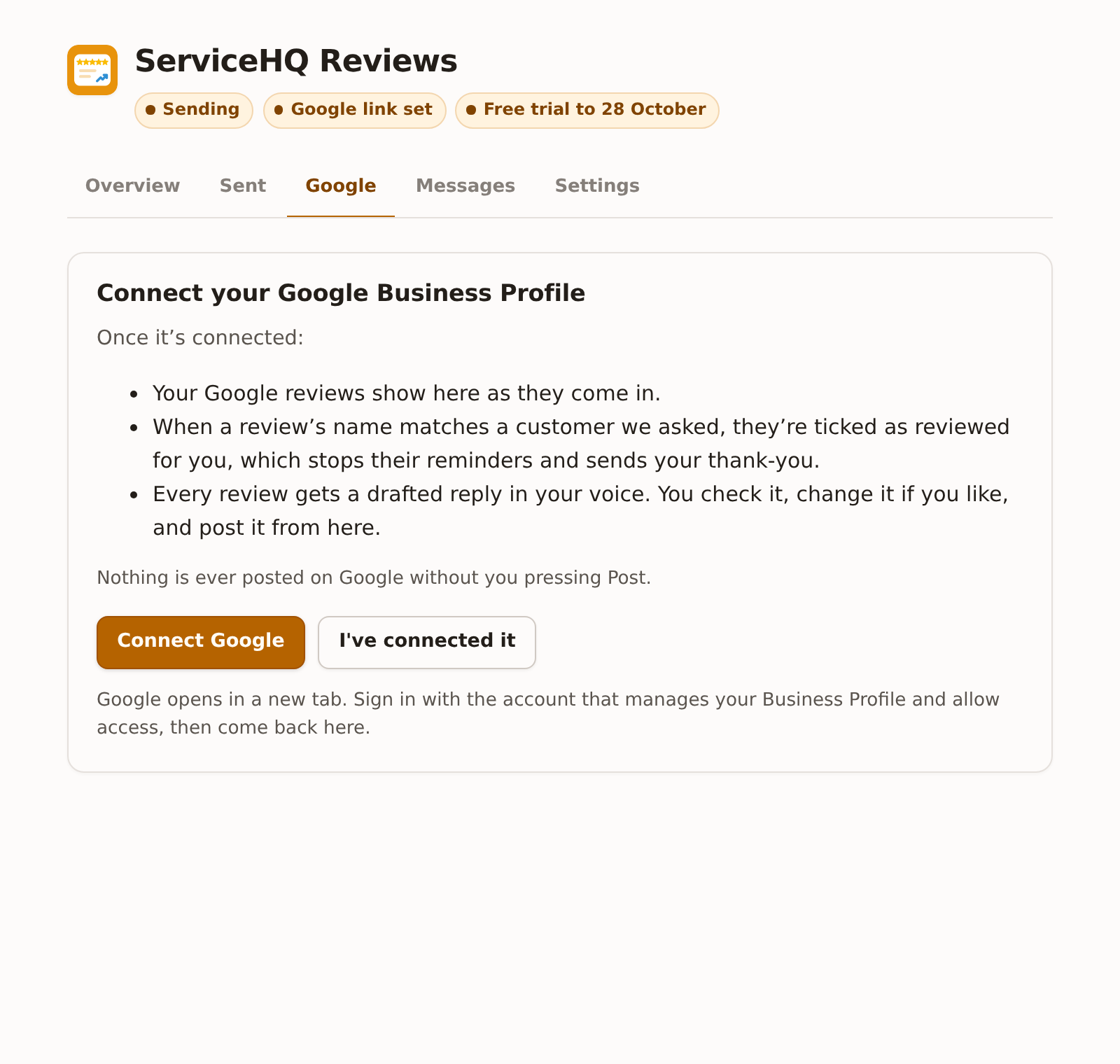
- On the Google tab, press Connect Google. Google opens in a new tab.
- Sign in with the Google account that manages your Business Profile, and allow access.
- When it says “Google is connected”, close the tab, go back to Reviews and press I’ve connected it.
Your reviews appear straight away. If Google says that account doesn’t manage a Business Profile, sign in with the one that does: it’s usually the account you used to set the profile up, or the one Google emails about it.
One Business Profile can be connected per ServiceM8 account. If your Google account manages several, the one matching your review link is used.
The tab
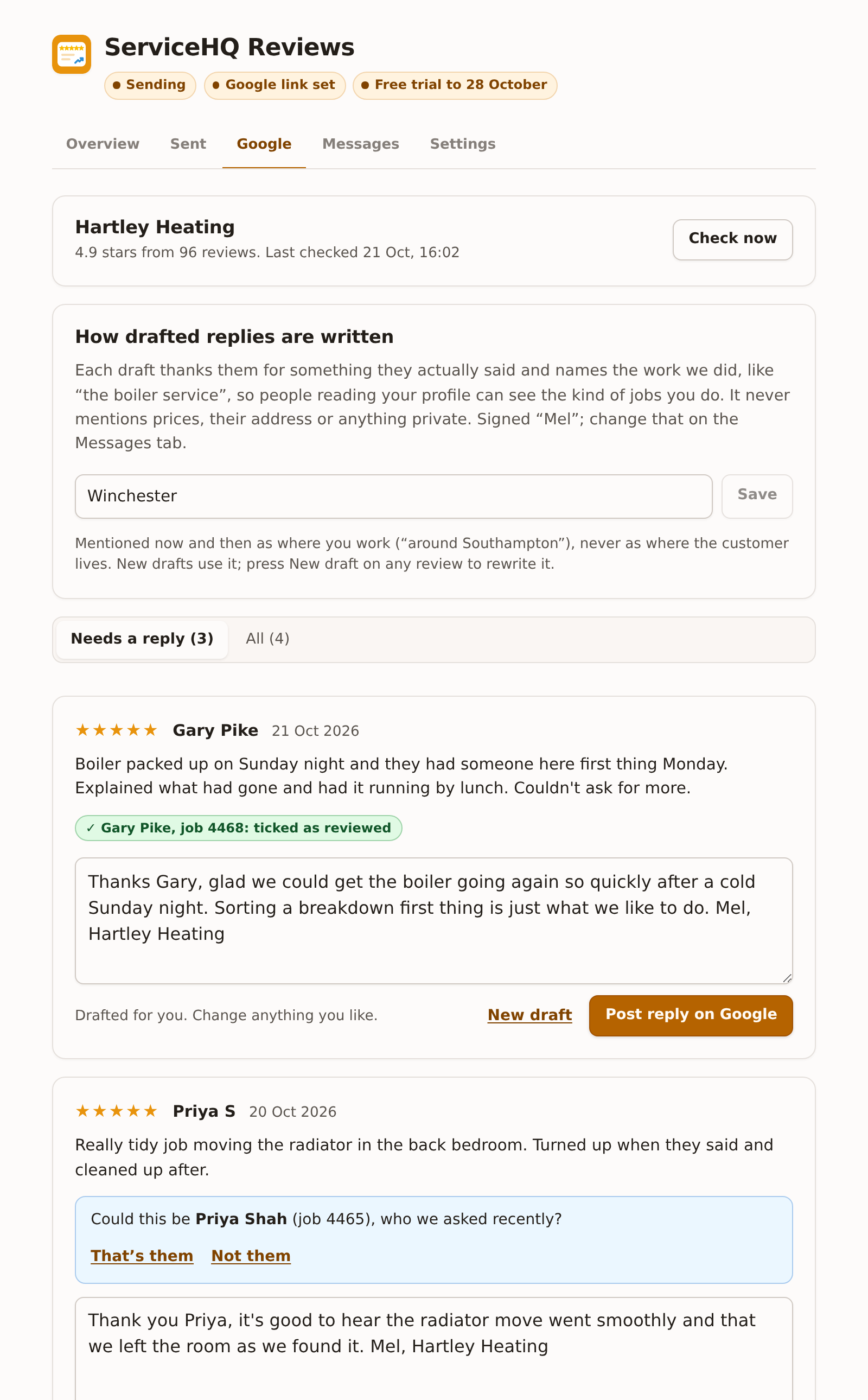
At the top: your profile name, your average and number of reviews, and when it last checked. Reviews are checked every half hour. Press Check now to look straight away.
Needs a reply lists reviews you haven’t answered yet. All shows the newest 60.
How reviews are matched to customers
Google shows the reviewer’s name, so the add-on compares it with the customers you asked in the 60 days before the review.
- First and last name match one customer: they’re ticked as reviewed for you, shown as “ticked as reviewed” with the job number. Their reminders stop and your thank-you goes.
- Only the first name matches (Google often shows “Priya S” or just “Priya”): it asks “Could this be Priya Shah (job 4465), who we asked recently?” Press That’s them to tick them, or Not them.
- Two customers could fit: it doesn’t guess.
Anything it can’t match you can still tick yourself on the Sent tab.
Disconnecting
At the bottom of the tab: Disconnect. It asks you to confirm. Drafted replies stored here are deleted; replies you’ve posted stay on Google. Your review link stays as it is, so requests carry on. The website widget stops showing reviews until you connect again.
Connect again at the bottom runs Google’s sign-in again, for example to switch to a different Google account.