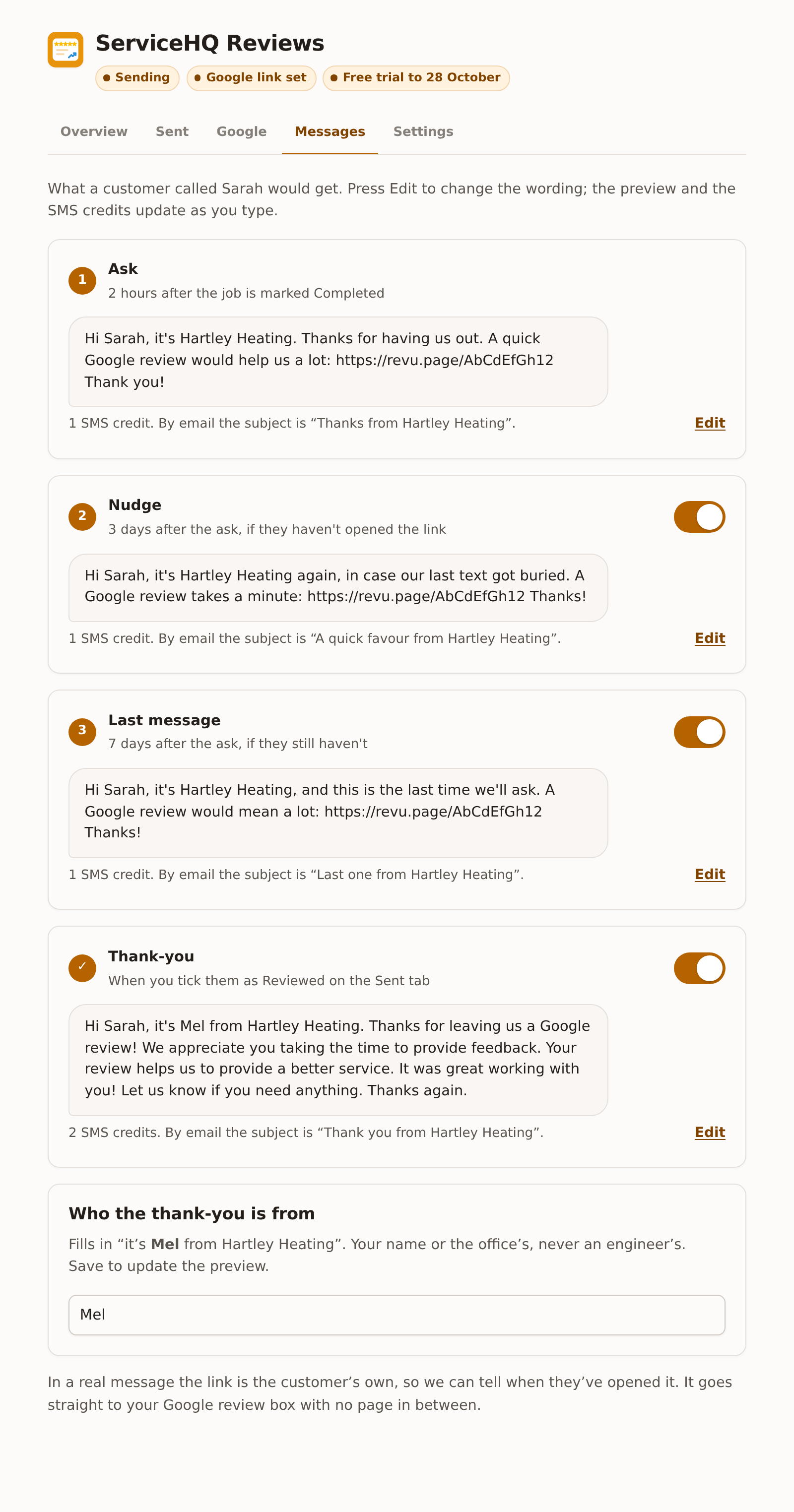
Our wording
| Message | What it says |
|---|---|
| Ask | Hi Sarah, it’s Hartley Heating. Thanks for having us out. A quick Google review would help us a lot: (link) Thank you! |
| Nudge | Hi Sarah, it’s Hartley Heating again, in case our last text got buried. A Google review takes a minute: (link) Thanks! |
| Last message | Hi Sarah, it’s Hartley Heating, and this is the last time we’ll ask. A Google review would mean a lot: (link) Thanks! |
| Thank-you | Hi Sarah, it’s Mel from Hartley Heating. Thanks for leaving us a Google review! We appreciate you taking the time to provide feedback. Your review helps us to provide a better service. It was great working with you! Let us know if you need anything. Thanks again. |
Your business name comes from ServiceM8. The link in a real message is the customer’s own, so the add-on can tell when they’ve opened it. It goes straight to your Google review box.
Turn the nudge, last message or thank-you off with the switch on its card. The ask can’t be switched off on its own; the main switch on the Overview tab does that.
SMS credits
Under each message it says how many ServiceM8 SMS credits it uses. One credit covers about 160 characters. With a short business name the ask, nudge and last message are one credit each, and the thank-you is two. A long business name or a long first name can tip a message into two.
Emoji and some symbols make every text in the message cost more. The editor warns you if your wording has one.
Changing the wording
Press Edit under a message. Type your own words, using the buttons to add the parts that change for each customer:
| Button | Fills in |
|---|---|
| Their first name | The customer’s first name, or “there” if there isn’t one |
| Your business | Your trading name from ServiceM8 |
| Who it’s from | The name under “Who the thank-you is from” |
| The review link | The customer’s own link to your Google review box |
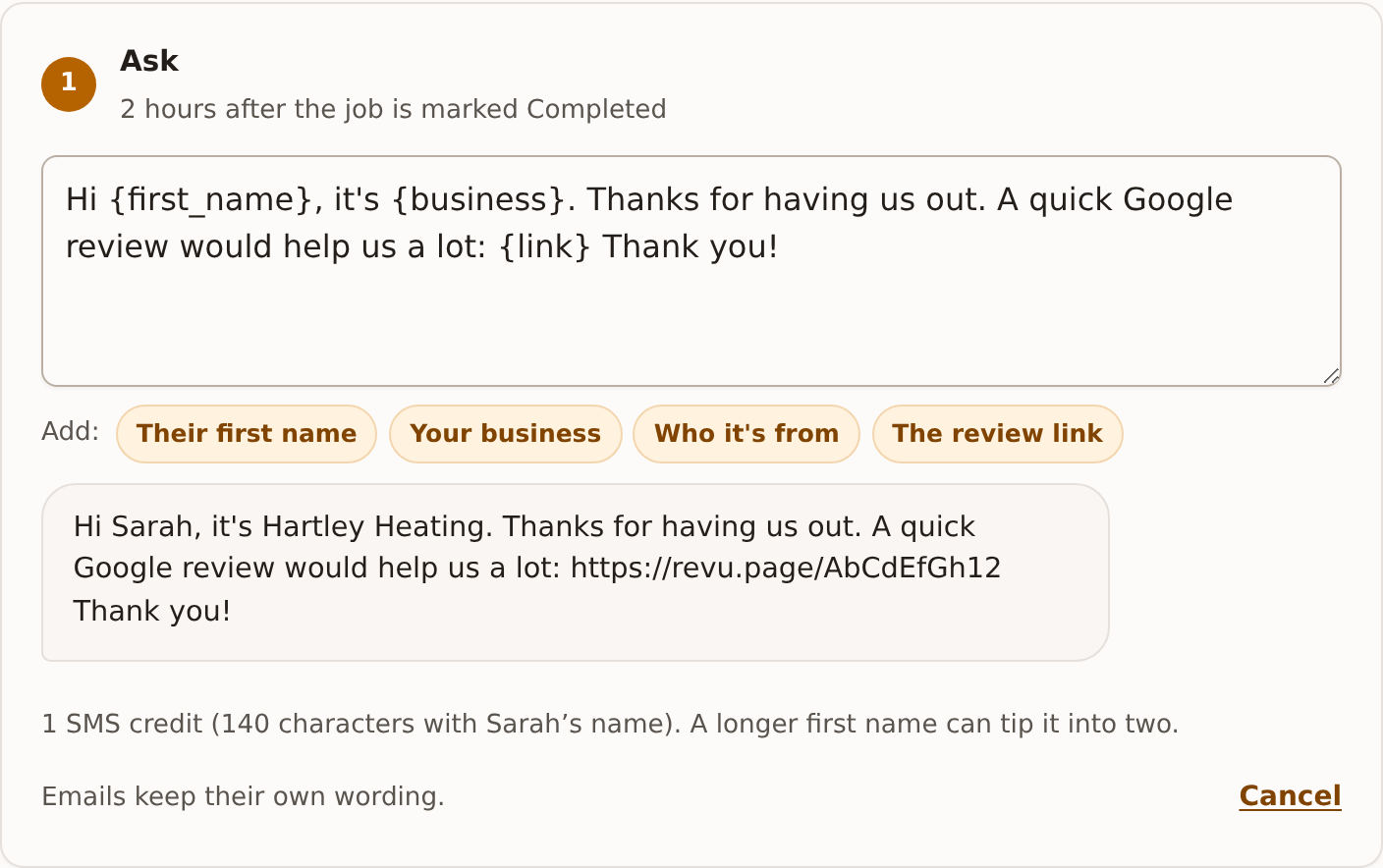
A few rules keep messages working:
- the ask, nudge and last message must include The review link, or there’s nothing to tap;
- a message can be up to 600 characters;
- if you send by WhatsApp, a message can’t start or end with one of the filled-in parts, so add a few words after the link, like “Thanks!”.
Press Save at the bottom. Use our wording puts a message back to ours. Emails keep their own wording, which our support team can change if you need it to.
There’s no button for the engineer’s name, on purpose. Google doesn’t allow asking customers to name staff, and the messages come from the business.
Who the thank-you is from
Under Who the thank-you is from, type your name or the office’s (up to 40 characters). It fills in “it’s Mel from Hartley Heating”. Leave it empty and it reads “the team”. It also signs your drafted replies on Google.