The widget shows your latest Google reviews on your own website and keeps them up to date. It needs Google connected. You’ll find it at the bottom of the Google tab, under Your reviews on your website.
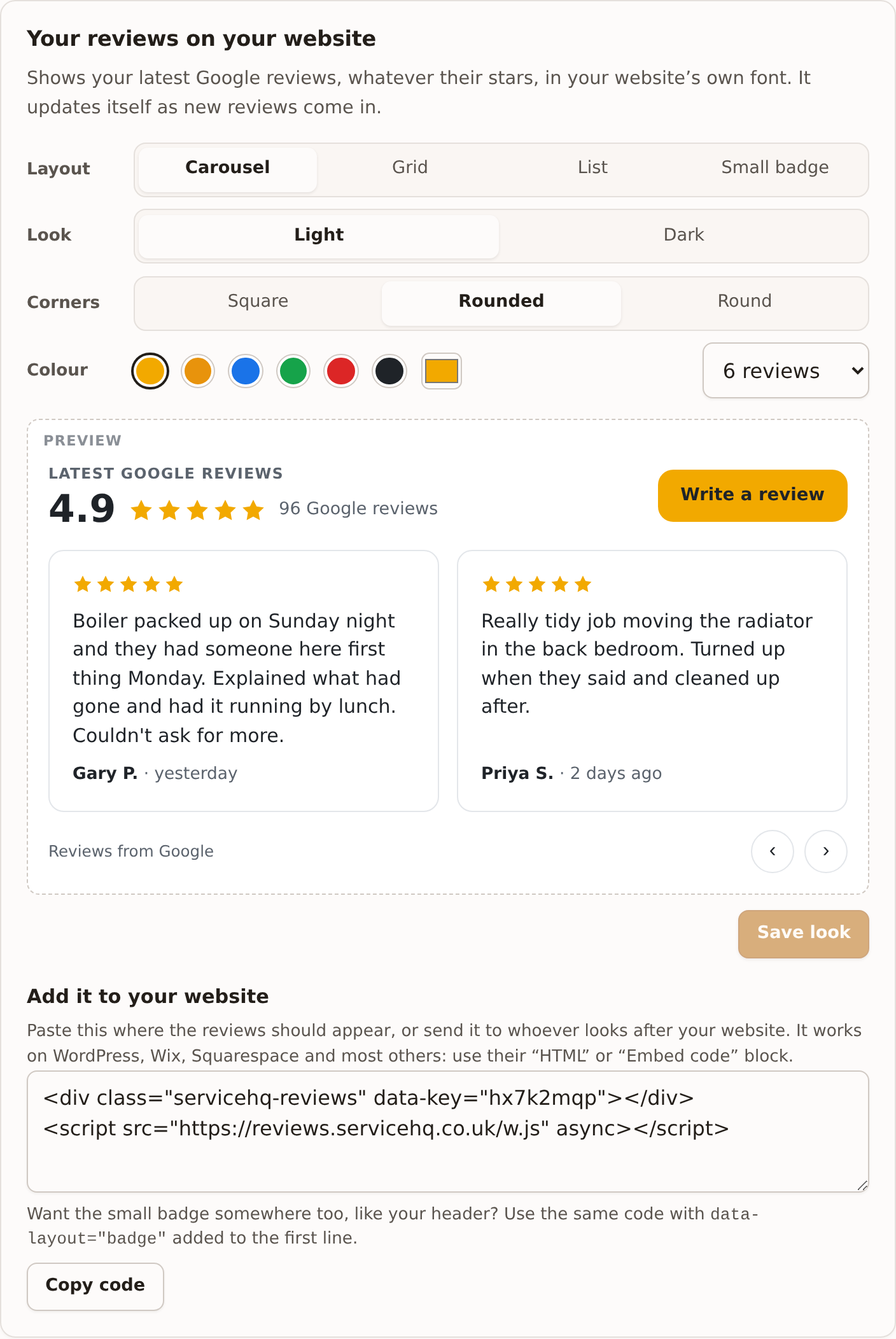
Choosing the look
| Option | Choices |
|---|---|
| Layout | Carousel, Grid, List, or Small badge (just the stars and count) |
| Look | Light or Dark, to suit your website’s background |
| Corners | Square, Rounded or Round |
| Colour | Six to pick from, or any colour of your own |
| How many | 3, 4, 6, 8, 9 or 12 reviews |
The preview shows your real reviews as you change things. Press Save look. Your website shows the new look within ten minutes.
Adding it to your website
Press Copy code and paste it where the reviews should appear, using your website builder’s “HTML” or “Embed code” block. It works on WordPress, Wix, Squarespace and most others. If someone else looks after your website, send them the code.
Want the small badge somewhere too, like your header? Use the same code with
data-layout="badge" added to the first line.
The widget takes your website’s own font, and nothing on your site can break its layout.
What it shows
- “Latest Google reviews”, your average and the number of reviews;
- a Write a review button that goes to your Google review box;
- your most recent reviews with their stars, words and how long ago, with the reviewer’s first name and initial (“Gary P.”).
It shows every star rating, not just the good ones. Picking only five-star reviews to display would mislead people, which UK consumer law doesn’t allow. Reviews with stars but no words are left out, because there’s nothing to read.
If you disconnect Google, the widget quietly shows nothing until you connect again.