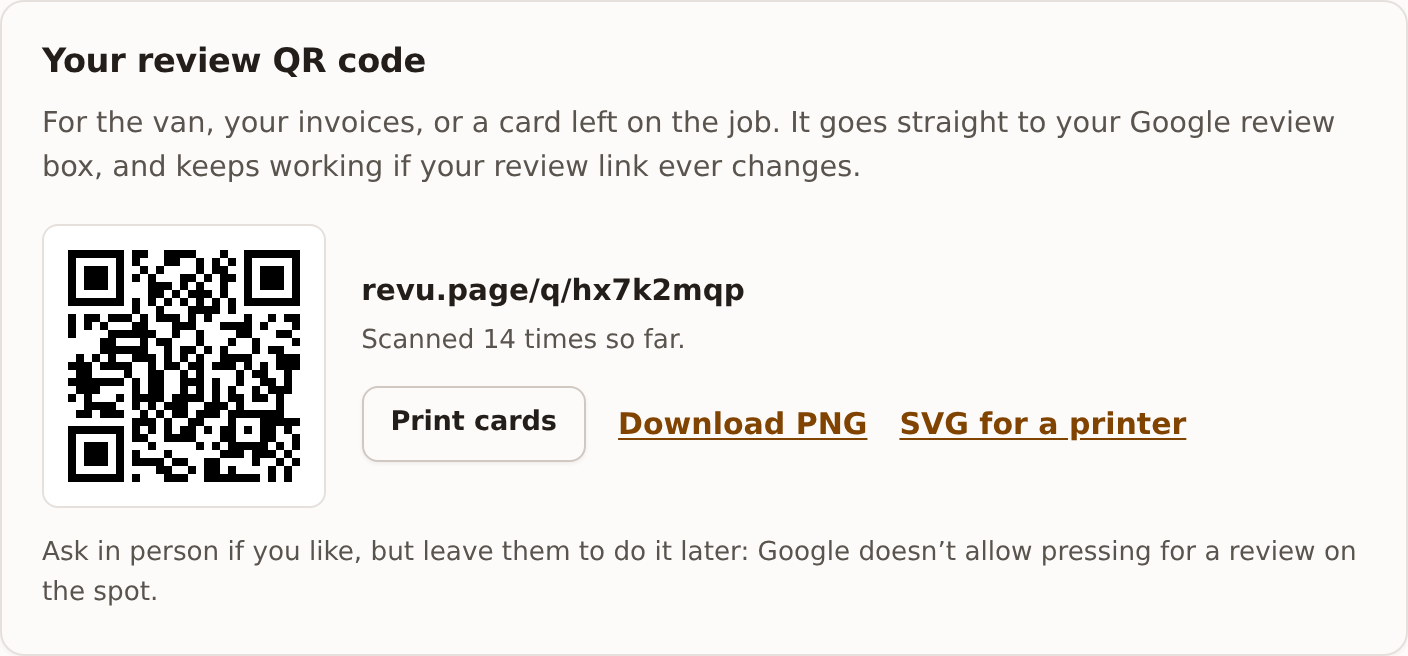
Your QR code is on the Settings tab, under Your review QR code. Scanning it opens your Google review box, and it keeps working if your review link ever changes, so anything you print stays right.
Three ways to use it
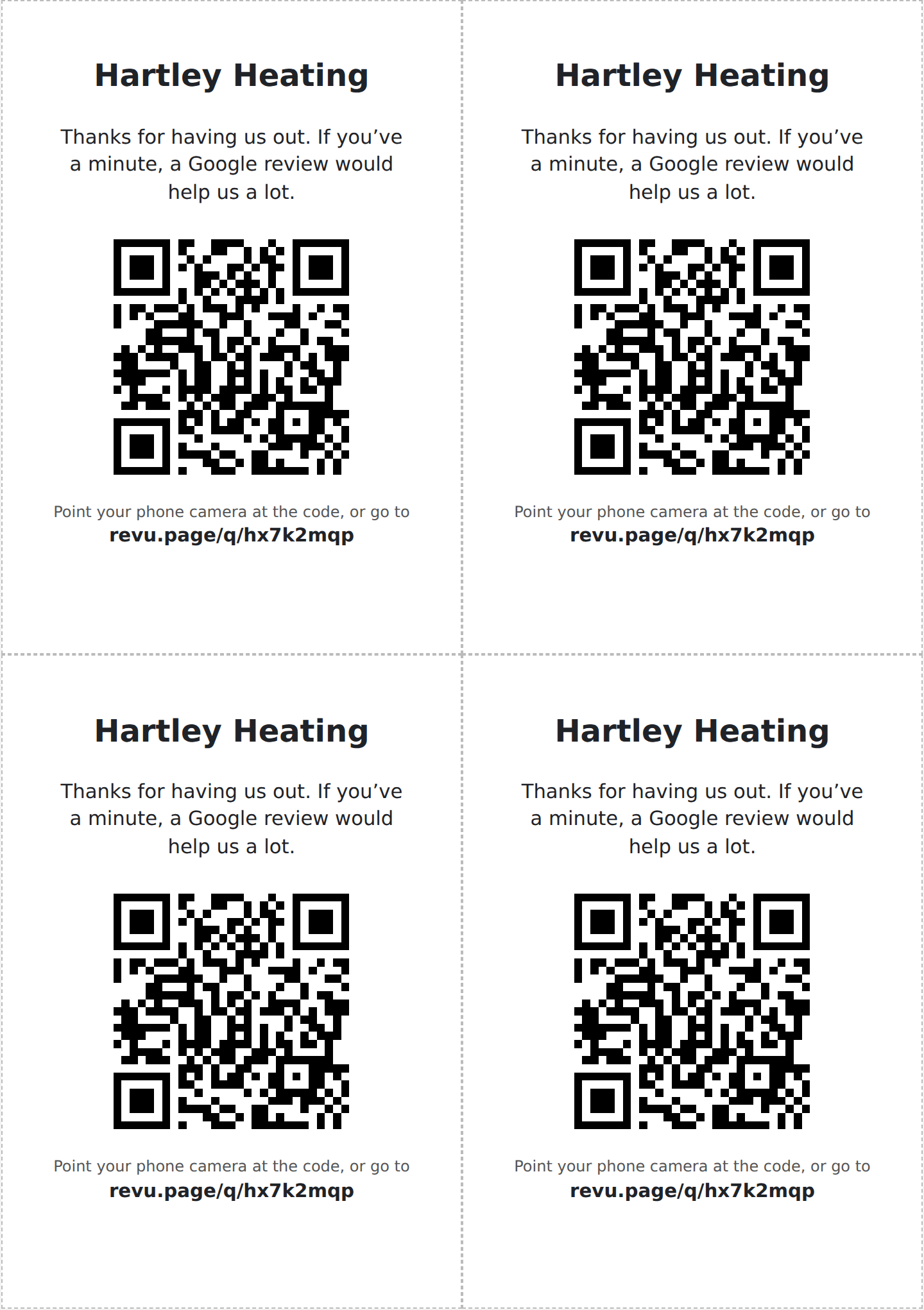
- Print cards. Opens a sheet of four cards to an A4 page, each with your business name, a short thank-you and the code. Press Print, then cut along the dashed lines. Leave one with the customer or put one in with the invoice.
- Download PNG. A large image of the code for documents, invoices or your website.
- SVG for a printer. The code as a vector file, which a printer or sign maker can scale to any size for the van or a sign without it going blurry.
Under the code it shows how many times it has been scanned. A scan isn’t tied to a customer, so it doesn’t stop anyone’s reminders or show on the Sent tab.
Asking in person
Ask if you like, but leave them to do it later. Google doesn’t allow pressing for a review on the spot, such as handing over a tablet or standing by while they write one. The cards say thank you and leave it with them.