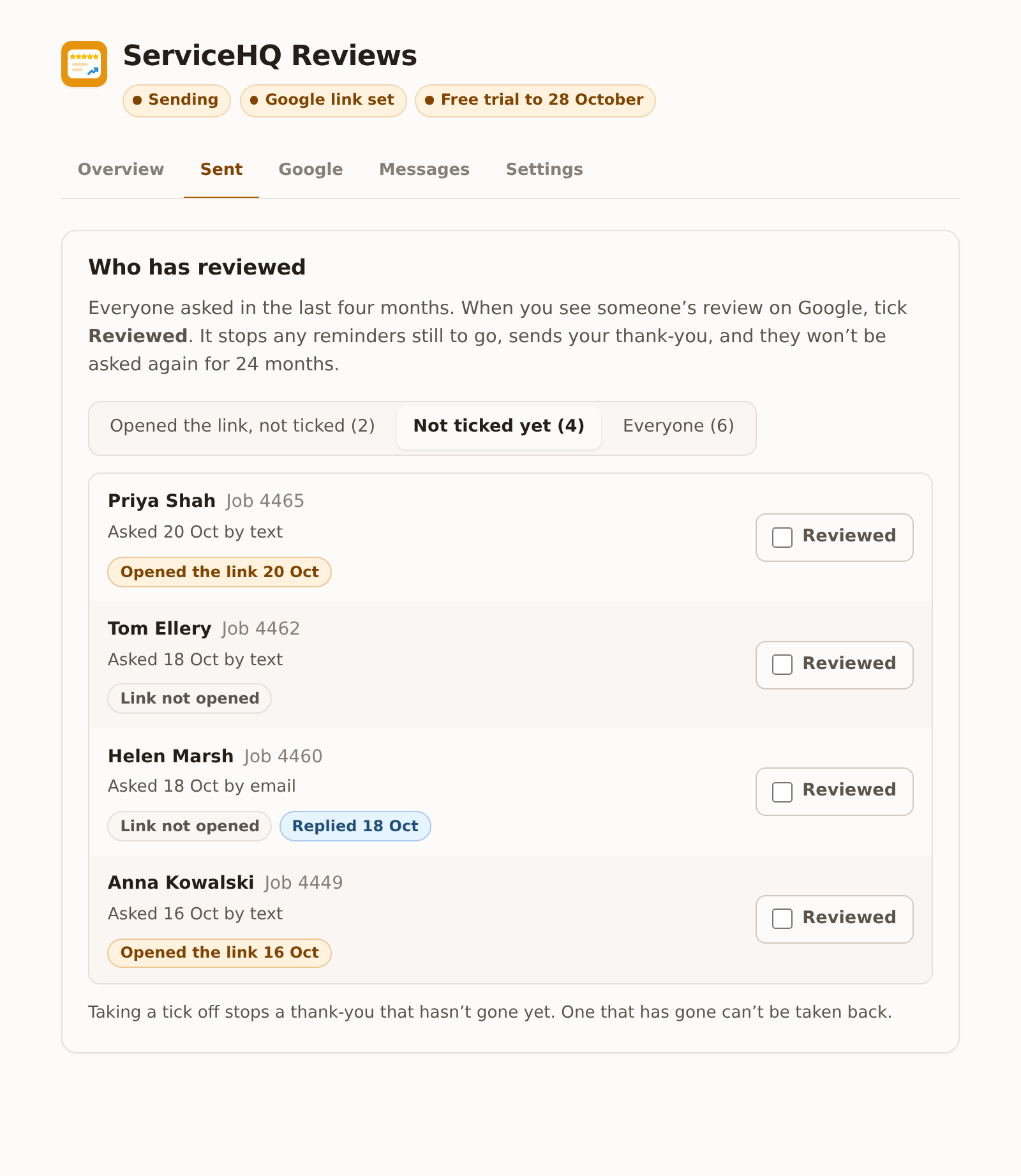
Why there’s a tick
Opening the link usually means a review, but not always: someone can open it, get distracted and never write anything. Google doesn’t tell anyone who left which review either. So the add-on treats a tap as a hint, and your tick as the answer.
When you see someone’s review on Google, tick Reviewed against them. That:
- stops any reminder still to go;
- sends your thank-you, if it’s switched on, at the next sensible hour;
- keeps them from being asked again for 24 months.
If you connect Google, most ticks happen by themselves: a review whose name matches a customer you asked is ticked for you.
The list
Everyone asked in the last four months is here. Each row shows the job, when and how they were asked, and:
- Opened the link and the date, or Link not opened;
- Replied and the date, if they wrote back after the ask (so no reminders went);
- Reviewed, once ticked, with “thank-you sent” or “thank-you waiting to go”.
The buttons at the top narrow the list:
| Button | Shows |
|---|---|
| Opened the link, not ticked | The people to check on Google first |
| Not ticked yet | Everyone not yet ticked |
| Everyone | All of them |
Taking a tick off
Untick someone and a thank-you that hasn’t gone yet is cancelled. A thank-you that has already gone can’t be taken back.
The Monday summary in your ServiceM8 Inbox lists anyone who opened the link but isn’t ticked yet, so the checking doesn’t depend on someone remembering.