If you use ServiceHQ Chat, review requests can go from your business’s WhatsApp number instead of as texts. Customers are more likely to see a WhatsApp message, and a reply lands in Chat on the job.
What you need
- ServiceHQ Chat installed on the same ServiceM8 account, with your WhatsApp number connected;
- an active ServiceHQ Chat subscription.
Without Chat, the WhatsApp switch is greyed out with a link to find out about it.
Switching it on
On the Settings tab, under How requests are sent, turn on WhatsApp, through ServiceHQ Chat and press Save.
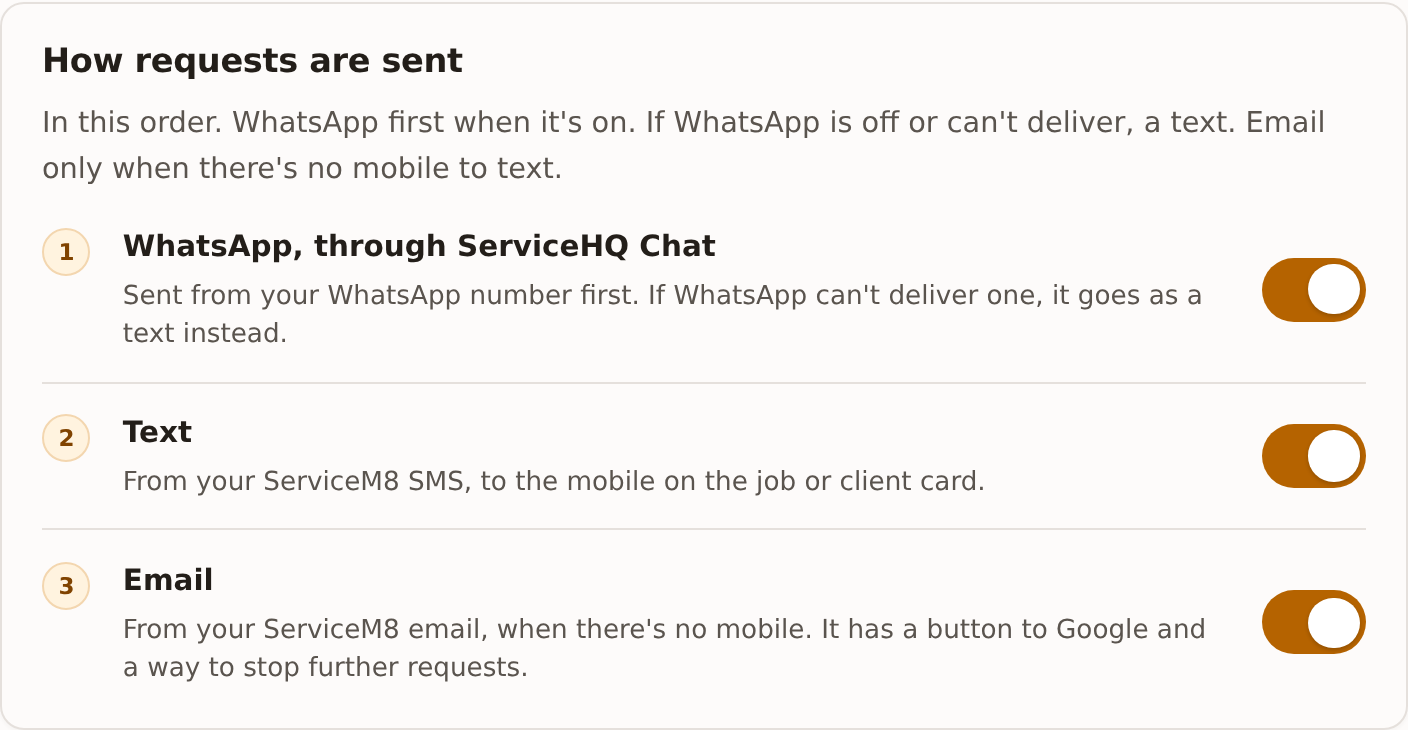
Saving sends your ask, nudge and last message to WhatsApp for approval, as three message templates on your own WhatsApp account. WhatsApp usually approves them within minutes, sometimes up to a day. Until they’re approved every request goes by text, so nothing is held up, and it switches to WhatsApp by itself once they are.
If WhatsApp turns the wording down, requests carry on by text and the screen says so. Our support team will look at the wording with you.
Changing the wording of a message later sends it for approval again. That message goes by text until the new words are approved.
When WhatsApp can’t deliver
If WhatsApp refuses a message, or reports later that it couldn’t be delivered (the customer isn’t on WhatsApp, for example), the same message goes once as a text instead. A message that’s sent but not yet delivered isn’t treated as a failure, so nobody gets both.
The thank-you never goes by WhatsApp. It goes by text, or email if there’s no mobile.
What it costs
Review requests go to WhatsApp as marketing messages, and Meta charges for those on your own WhatsApp Business account at its published rates, the same way it charges for your other templates in Chat. If the customer messaged you on WhatsApp in the last day, the request goes as an ordinary reply instead.
What changes in Chat
When a review request goes to a customer by WhatsApp:
- the conversation is linked to the job, so a reply lands on it;
- a note goes in the job diary with the message;
- if you use the Chat Assistant, it steps back from that customer’s conversation, so a reply about the job gets a person, not the assistant.
A customer who replies on WhatsApp gets no more reminders, the same as a text reply.