WhatsApp Settings, the Chat Assistant tab, Knowledge. Everything on it is fed to the assistant whenever it writes anything, so this is where a good assistant comes from.
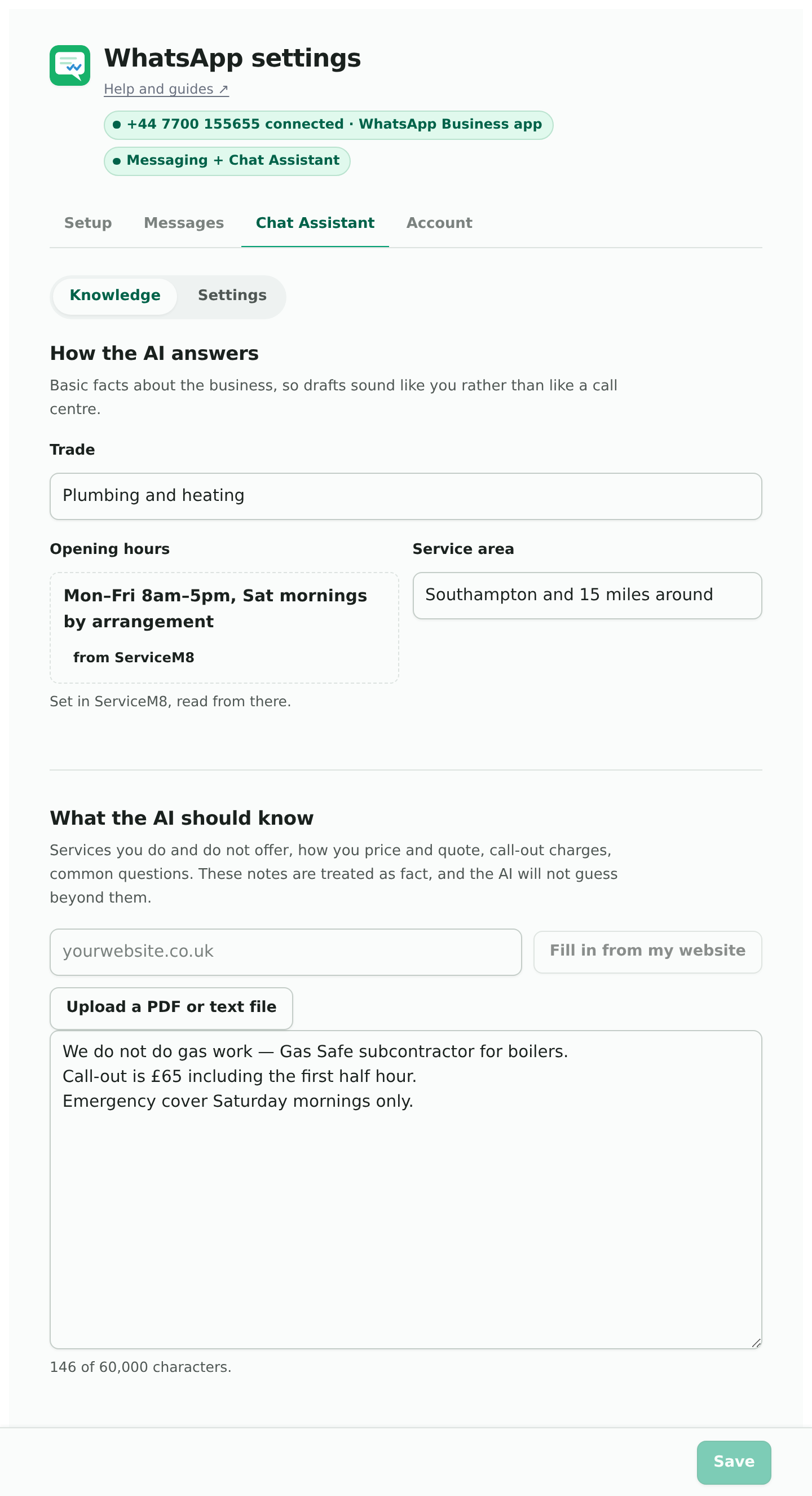
About your business
Three facts, so drafts sound like you rather than a call centre.
- Trade. Typed. “Plumbing and heating”, “electrical”, “roofing”.
- Opening hours. Read from ServiceM8 and shown with a “from ServiceM8” tag. Change them in ServiceM8 and the change follows. If ServiceM8 has none set, a box appears here instead.
- Service area. Guessed from your billing address the first time, then yours to edit, because ServiceM8 has no field for it. “Southampton and 15 miles around” is the kind of thing to put.
What the AI should know
The notes box. Services you do and do not offer, how you work, the common questions. Leave prices out: they come from your services, which price from your ServiceM8 materials list, and a price typed here as well means the assistant could be given two different prices for the same job. These notes are treated as fact and the assistant will not guess beyond them, so a wrong note produces a confident wrong answer. Short, specific lines work best:
- We do not do oil or LPG.
- Quotes are free and usually sent the same day.
- Emergency cover Saturday mornings only.
The limit is 60,000 characters, a few thousand words, and the counter under the box says when you are near it. Anything pasted past it is dropped.
Upload a file
A PDF, a text file, a Markdown file or a CSV. Your price list, your terms, a services sheet. It is turned into text once, on upload, and added to the notes box for you to read and tidy before saving.
Read my website
Type your website address and press the button. It reads the pages that usually say what a business does, the home page, services, about, prices, FAQ and contact, and writes notes in the shape the assistant answers from. Nothing is saved yet: the draft appears in a panel with three choices.
- Add below my notes keeps what you have and appends.
- Replace my notes with this starts over from the website.
- Discard throws it away.
If it spots services on your site, the booking assistant’s settings will offer to add them to its list, with the lengths for you to check.
Read what it wrote before you save it. A website written three years ago will tell the assistant three-year-old prices.
Save
The Save button at the bottom of the tab. The tab shows a dot when there are unsaved changes.