ServiceM8 does not alert anyone about a new Inbox message on its own. Its notifications are for scheduling and staff messages. So without this, a website-sized enquiry sits behind a badge until somebody happens to look at the dashboard, and that is the message a trade business can least afford to answer late.
How it works
WhatsApp Settings, the Messages tab, then Notifications.
Notify me when a customer replies tags the right person in the job’s diary note, or on the Inbox entry for a new enquiry. ServiceM8 sends them a notification for the tag, and tapping it opens the job inside the ServiceM8 app, conversation and all. That is the only route ServiceM8 offers that both alerts somebody and lands them on the job, which is why there is a switch and not a menu.
A new enquiry is tagged once per burst: several messages in a row tag on the first only, until an hour has passed or somebody has replied. Putting a conversation on a job, with Create job or Add to job, tags nobody.
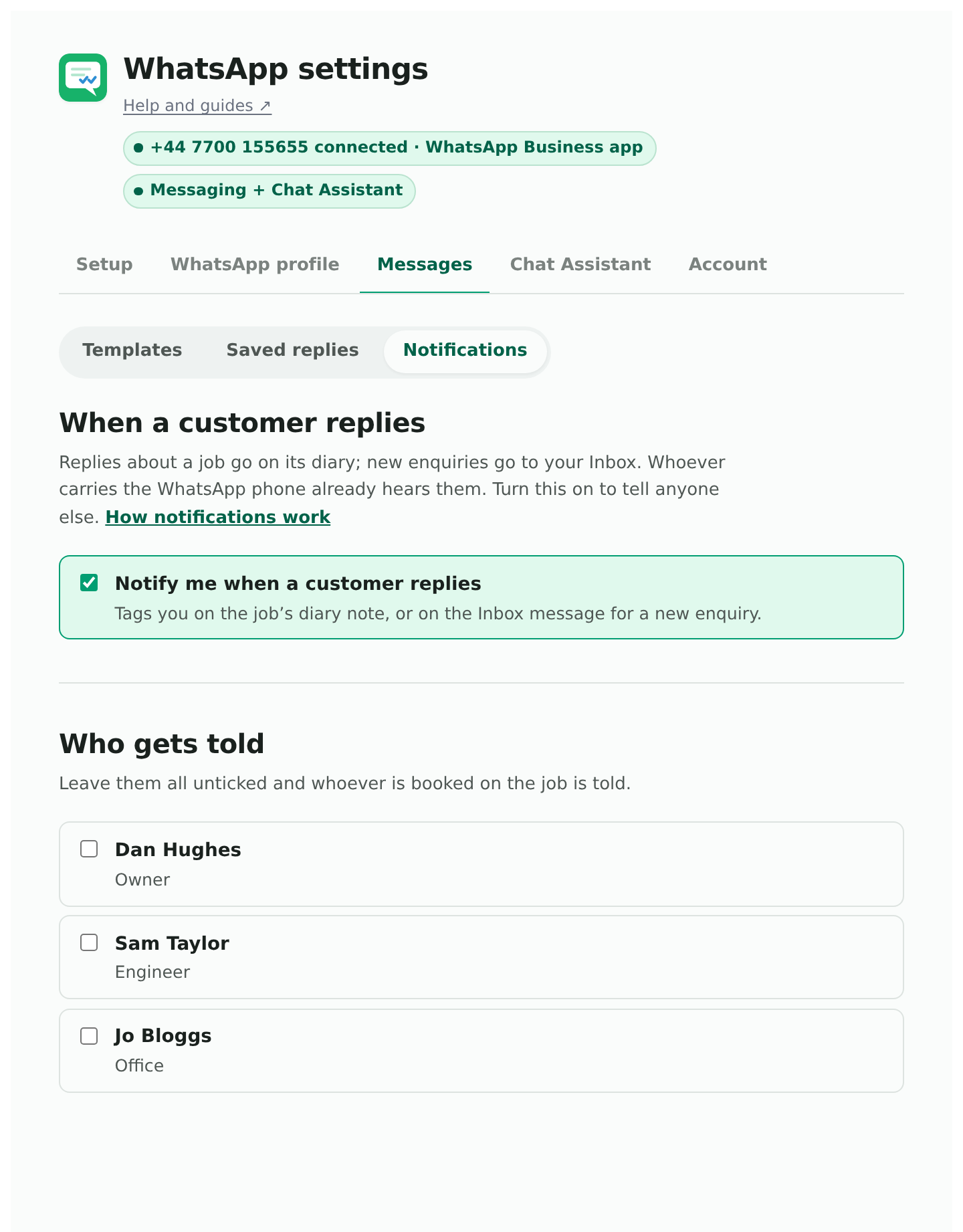
Who gets told
Tick anyone who should hear about customer messages. Leave everyone unticked and the add-on tells whoever is booked on the job, which is the right default for most businesses. For a new enquiry with nobody booked and nobody ticked, everyone is told, because an unclaimed enquiry belongs to whoever gets to it first.
The list is useful for the people who do not carry the WhatsApp phone but still need to know: the office, a second engineer, whoever does the quoting.
Why it is off by default on the “keep my app” route
Your number is already ringing in WhatsApp on a phone. A second alert for the same message is the same news twice, so the switch starts off. Turn it on to tell people who do not carry that phone, and pick them in the list.
On a new number nothing rings anywhere, so the switch starts on.
What the notification looks like
A ServiceM8 notification saying you were mentioned in a note. Tap it and the job opens. The note itself has a short link to the conversation, which is the fastest way in on a phone. Where to find a conversation.