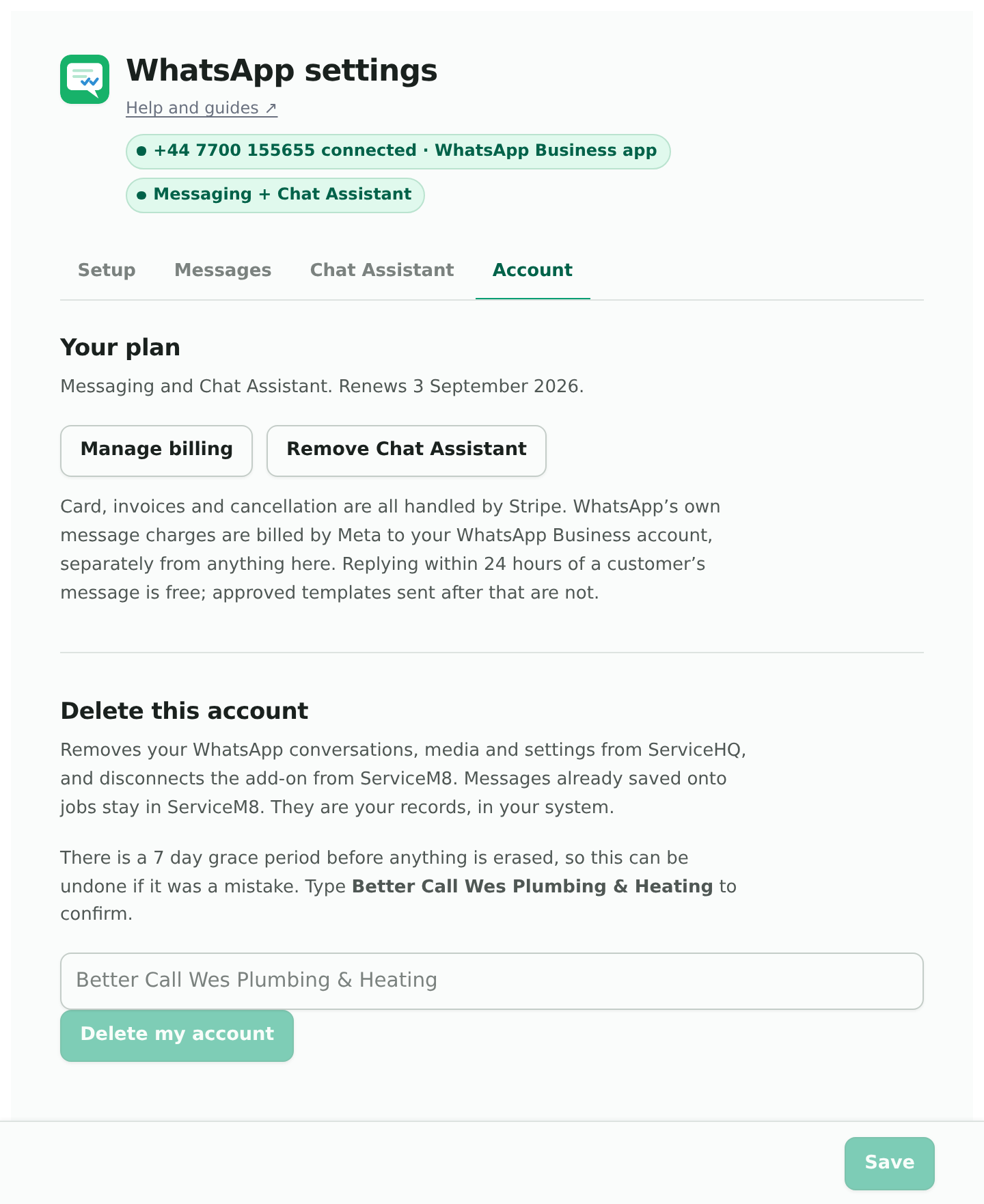
WhatsApp Settings, the Account tab. Everything about paying is here, and none of it needs you to contact us.
Starting
Start your 7-day free trial. Card up front, not charged until the trial ends, everything switched on including the Chat Assistant. Until you start it, customer messages are still received and saved; you just cannot reply.
What the plan line means
- Free trial, ending on a date. You will not be charged before then.
- Messaging, or Messaging and Chat Assistant, with a renewal date. Active and sending.
- Your last payment did not go through. Sending carries on while your bank retries. Update your card to avoid interruption.
- Cancelled. Sending has stopped. Messages still arrive and are still here; start again whenever you like.
Adding or removing the Chat Assistant
One button: Add Chat Assistant or Remove Chat Assistant. It is a line on your existing subscription, charged pro rata from today when you add it. Removing it leaves the rest as it was. During the trial it is included, and the button offers to keep it after.
Card, invoices and cancelling
Manage billing opens Stripe’s own page for your subscription: change your card, download invoices, cancel. Cancelling stops sending at the end of the paid period and keeps everything you have.
Deleting the account
At the bottom, Delete this account. Different from cancelling: it removes your conversations, media and settings from ServiceHQ and disconnects the add-on from ServiceM8. You type the business name to confirm. Access stops straight away and everything is erased after seven days, so a mistake can be undone. Your data has the detail.