Do not find out from a customer. Thirty seconds now tells you the setup worked rather than assuming it did.
The test
From a phone that is not the one your number is on, send a WhatsApp message to your business number. Anything will do. “Test” is fine.
Then look in ServiceM8. Within a few seconds you should see:
- A new entry in your Inbox, with the sender’s name and number filled in.
- A note on that entry: “New WhatsApp enquiry from …”, with a link back to the conversation. For your first five enquiries the note also explains the two buttons, Convert to Job and Attach to Existing Job.
- If you switched on notifications, a tag for whoever should be told.
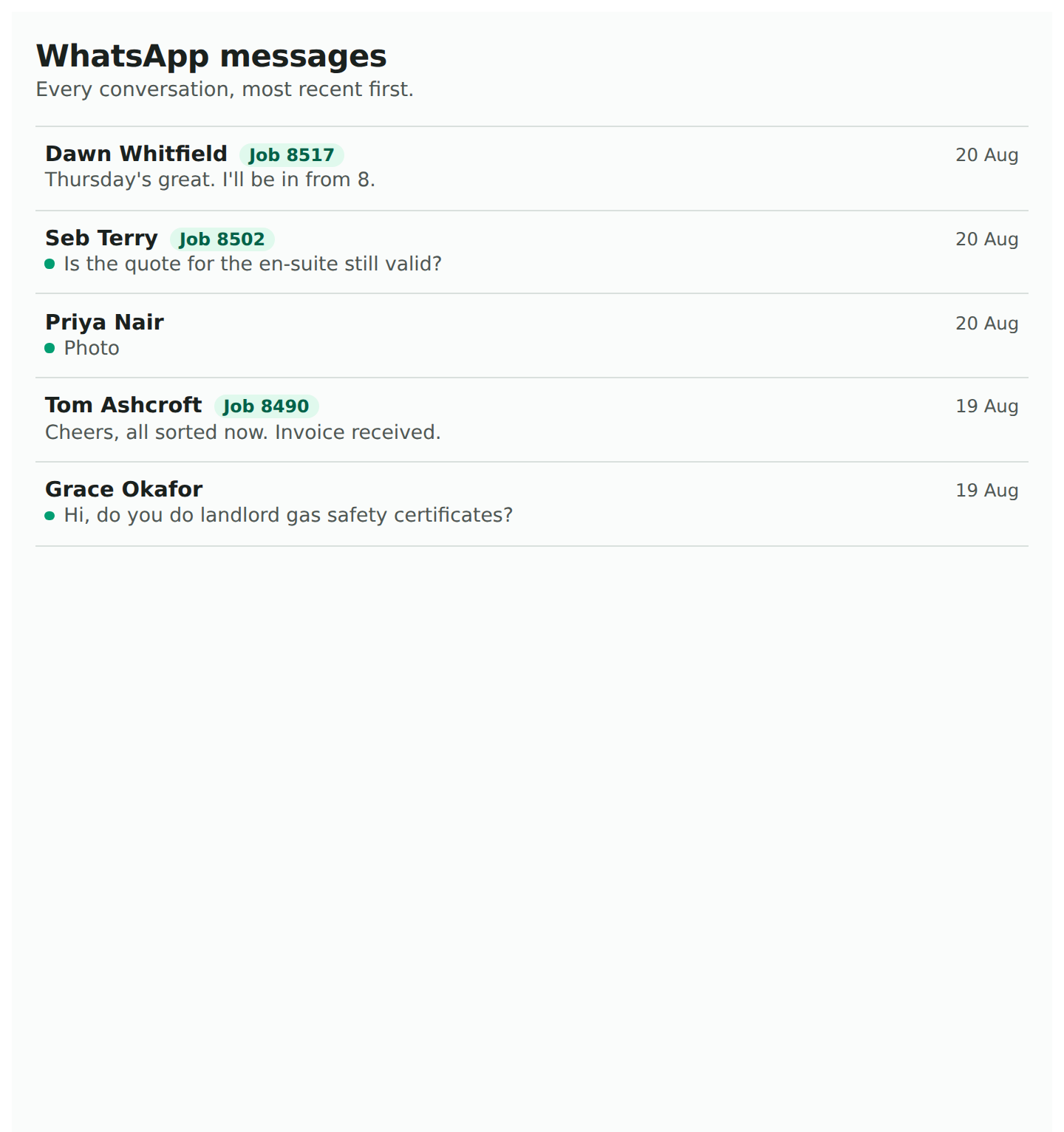
Open the add-on’s WhatsApp Messages list from the add-on menu and the conversation is there too, with a dot beside it because it is awaiting a reply. Reply from there and check it arrives on the other phone.
Why it has to be a different phone
On the “keep my app” route the connected phone messaging its own number is a chat with yourself. WhatsApp treats it as a note to self and never passes it to a business system, ours or anyone’s. One business tested exactly that way, saw nothing arrive, and decided the setup was broken. It was not.
If nothing arrives
Open WhatsApp Settings. If there is a banner headed “Messages can’t reach this number yet”, the last step of the connection has not been done on the phone. What that step is. Otherwise, when something is not working has the rest.